 SpinWheel
 3
3Holiday Party Wheel for Seasonal Play
Spin this holiday party wheel in your browser. Pick the next seasonal activity at an office or family party. Edit the list or skip a round.
Be the first to review
Share a quick rating if this page helped you.
Share your experience and help others
Review policyThe break room is lit up and nobody will pick the next game. Coworkers stand around a string-lit table. You open this holiday party wheel on the laptop and tap Spin. In under a minute the room has the next seasonal activity: cookie swap, a trivia round, or an ornament game. Edit the list if you need to. Skip is allowed.
How this holiday party wheel picks your next seasonal activity
This wheel picks the next activity, not a holiday name and not who opens a gift. Read the slices. Keep what this office hour or family table can finish. Play what lands, or take the one skip you already agreed, with a substitute that has the same energy and less prep.
Turn on Remove Winner when you will run more than one round. The activity that just landed leaves the wheel so the same slice cannot come back until the list clears.
Each spin uses crypto.getRandomValues in your browser. With equal weights, every remaining activity has the same chance of being selected.
How to build a holiday activity list your group will actually play
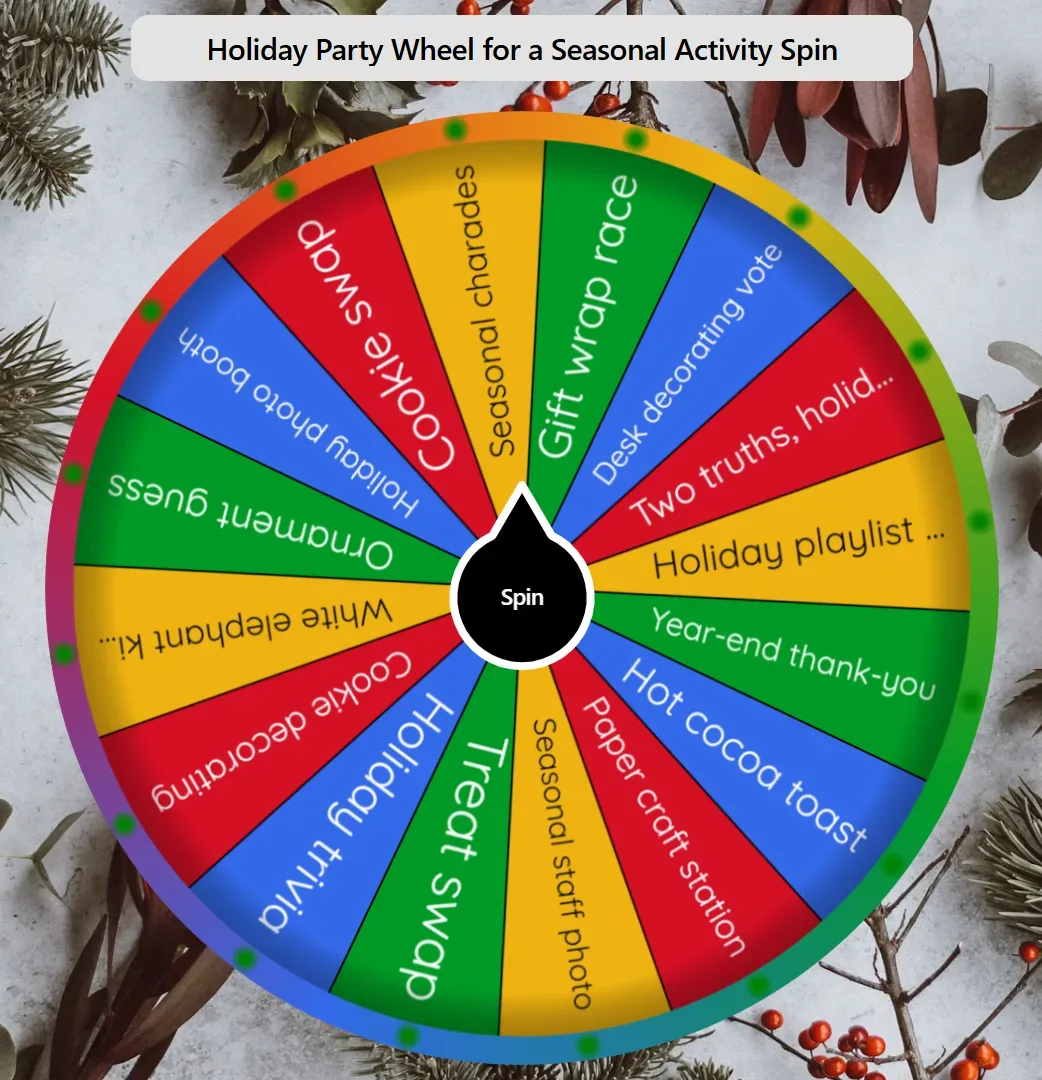
Keep a slice only if this group will actually do it. Gift wrap race, desk decorating vote, and hot cocoa toast fit an office or family hour. Cut anything that needs ice, a stage, or more prep than you have. Office and mixed-faith rooms usually keep trivia, crafts, and snacks. Add worship slices only if you mean them.
Reception games live on Need reception games instead?. If you want a different ready-made wheel to copy, copy and edit your holiday activity list.
When to use this holiday party wheel
| Job | Use this page? |
| Next office or family seasonal activity | Yes. Edit the list, spin, play what lands. |
| Who opens or steals a gift next | No. That is gift-exchange order, not an activity picker. |
| Halloween costume contest | No. A costume-only night is a different job. |
How to pick the next seasonal activity
Edit the list. Keep seasonal activities this office or family will actually run. If kids will join, read every slice before the first spin. Delete guest names and anything this hour cannot finish. Add your own labels if this group has a house activity.
Agree the one-skip rule out loud. Play what lands, or skip once and use a pre-agreed substitute with the same energy and less prep.
Spin on a phone, tablet, laptop, or a projector. Click Spin so the group can watch it stop. Fullscreen the browser tab if you need a bigger view. No app install.
Run that activity. Do the thing that landed. Then come back to the wheel if you still have time.
Turn on Remove Winner for a multi-round party. Used activities drop off so the same slice cannot land twice until the list clears. Copy the wheel if a co-host needs the same list.
For other wheels in this category, open more Events & Festivals wheels.
When this wheel helps
Nobody will pick the next activity
The list is ready, but nobody wants to choose. Open the wheel so the group watches one result. Start that activity.
Kids at a family table
A family hour includes kids. Review every slice before the first spin. Cut dares and drink rules. Keep crafts, snacks, and short games.
Three rounds before people leave
You still have time for a short stack of activities before people leave. Spin, play, then come back for the next one. Do not stop the hour to vote on every game.
Tips
Keep 8-16 short labels, then cut to what this hour can finish.
Put the screen where the group can see it, not a private phone in one person's hand.
You may also like
Browse popular wheels
Popular Random Tools
Quick randomizers for picks, teams, giveaways, and more