 SpinWheel
 3
3Work Decision Picker for Meeting Leftovers
Spin this work decision picker on your device. Break a stand-up tie on which leftover gets the slot. Edit the list. Free in the browser.
Be the first to review
Share a quick rating if this page helped you.
Share your experience and help others
Review policyThis work decision picker is a spin wheel with leftover work already on the slices, not Option A and not people's names. Four of you sit at the conference table. Two tracks are stuck. Edit anything the room cannot start today, then click Spin once to pick which backlog item gets this stand-up slot.
How this work decision picker breaks a meeting tie
Load it when both leftovers can start today. You are not inventing an agenda. You are not picking names. You are not brainstorming. The items should already be in play. Spin once so the room sees the same landing.
If it still needs exec sign-off, take it off before you spin. Say out loud: this is a stall-breaker, not a strategy call. One escape: revisit that item in writing after the meeting.
Each spin uses crypto.getRandomValues in your browser. The animation shows the selected leftover. It does not pick the leftover. Equal slices have equal odds unless you copy the wheel and change a weight later. Read how SpinWheelPlus picks a fair result.
Which work options belong on the wheel before you spin
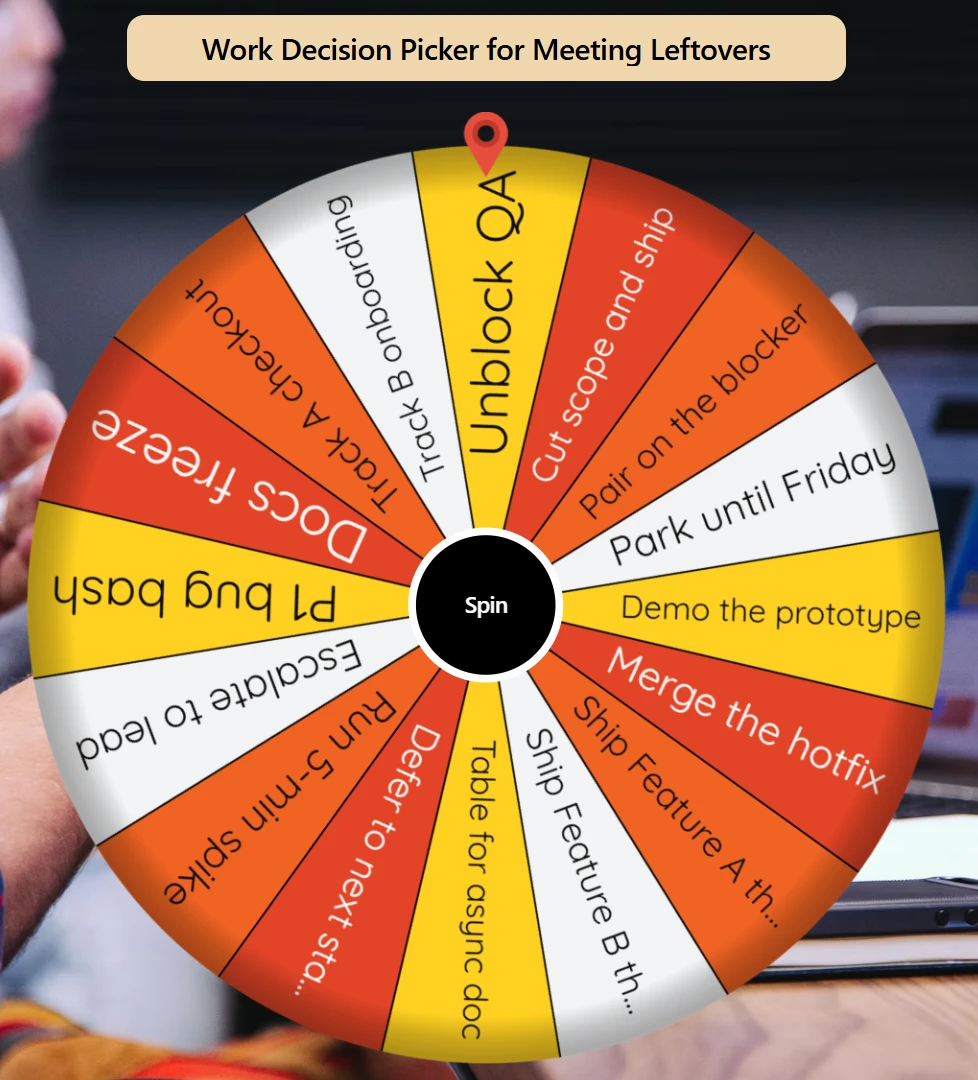
Put leftover work on the slices: Ship Feature A this sprint, Track A checkout, P1 bug bash, Run 5-min spike. Delete anything the room cannot start in this slot. Do not add stay in vs walk. Do not add restaurants. Do not add people's names. Do not add "Discuss Q3 roadmap theme." That last one is an agenda topic, not a leftover you can finish now.
How to break the leftover tie
Scope the list. Keep only leftovers this meeting can act on. Drop strategy, budget, hiring, firing, and anything someone would veto. Aim for 4-8 short labels.
Agree the rules out loud. This spin is a tie-break, not a strategy call. Exec-sign-off items never go on the wheel. Those get the "revisit in writing" escape.
Fullscreen on the shared screen. Click Spin. Wait until it stops.
Honor the landing, or use the one pre-agreed revisit. If the room hates the result, that slice should not have been on the list. Edit it off, then spin once more. Do not best-of-three until you like the answer.
Turn on Remove Winner if you will clear more than one leftover this stand-up. Copy and edit this work option list if you need the same leftovers next meeting.
Fair-use rule
Only spin when every leftover still on the wheel is acceptable. Do not keep spinning until you get the result you wanted. If an option is no longer valid, remove it before you spin again.
Random selection works best when the remaining leftovers are roughly equal in importance. If one choice is clearly better based on evidence, cost, risk, or impact, decide it directly. Do not outsource that call to a spinner.
Do not put hiring, firing, salary, legal risk, safety, or an unequal workload on this wheel.
For other wheels in this category, open more Business & Work wheels. Coin, yes/no, and other single-purpose pickers live with more random decision tools.
Only two leftovers? Use yes or no for two leftovers. Four or more named leftovers stay on this wheel. A personal leftover after 9pm belongs on a different wheel.
When this wheel helps
Two leftover tracks, same sprint
Feature A and Feature B are both shippable today. Delete anything the room cannot start in this slot. Spin once. That track gets the time.
A leftover still needs exec sign-off
Do not put it on the wheel. Use Table for async doc, or leave it off and write it after. The spin only covers items the team can act on without a new approval.
Multi-topic leftover rounds
You have more than one leftover to clear. Spin once per round. Turn on Remove Winner so the same backlog item cannot eat the next pick.
Tips
Keep 4-8 short labels. Long sentences are hard to read on a shared screen.
Scope before you spin. If the room cannot start it in this meeting, it does not belong on the wheel.
Do not put exec-sign-off, budget, hiring, or firing on the slices.
Use Remove Winner when you will spin more than once this meeting.
Keep the wheel on the shared screen. Do not hide the spin on a screen only you can see.
Do not add names or Option 1. Leftovers are work items, not people.
You may also like
Browse popular wheels3Popular Random Tools
Quick randomizers for picks, teams, giveaways, and more