 SpinWheel
Free mystery box picker & virtual prize reveal online
What is a mystery box picker?
A mystery box picker is a grid of virtual boxes you can watch open. You load prizes, shuffle them behind the cells, and someone taps a box to reveal one result. SpinWheelPlus adds optional weights, play modes (Treasure Hunt, Single Box, Multi Box), and a shareable link. Same job as a prize reveal or lucky-draw box when the room needs to see a fair pick.
Add your prizes, open boxes in the browser, and show the reveal on a phone or projector. Tweak styles, weights, and play mode when you need to.
- Uses crypto.getRandomValues() for each open (modern browsers)
- Free to use; log in only if you want saved boxes
- Runs on desktop and mobile-no app store
How to make a mystery box in 4 steps
List your prizes
Short labels read better on the grid. Paste from a sheet if you already have a list.
Style it
Box art, sounds, weights, and play mode-only if you care about the look or the odds.
Open
Tap a box, let it reveal, call out the prize.
Save or share
Share a link without an account, or sign in to Save it to your library.
Why people stick with it
Randomness you can explain
Browser crypto, not a black box.
Fast setup
Most boxes are ready before the event starts.
Any screen
Chrome, Safari, Firefox, Edge-phone to TV.
No signup to start
Open the page and tap a box. Account is for saving.
What you can do on this mystery box
The editor at the top is a full prize-reveal grid, not a fixed gacha. Add prizes, change how it looks and sounds, pick a play mode, then share a link or embed it. Sign in only when you want it saved to your account.
- Weighted prizes. Give a prize a higher weight when common souvenirs should land more often than rare vouchers. Add an image to a prize, and set reveal details such as its own sound when that prize lands. Tell your audience if the draw is not even.
- Play modes. Choose Treasure Hunt, Single Box, or Multi Box. Treasure Hunt draws from prizes not won yet so each prize lands once. Single Box is one cell you can open again. Multi Box puts several boxes on stage for the room to pick.
- Max opens. Cap how many boxes someone can open per session. Useful for one pick per guest, customer, or relative.
- Images and box styles. Set a box style and title font. Add a page background when you want a branded look.
- Sounds and reveal popup. Pick default open and win sounds, then Close the popup so the next person can pick.
- Share without an account. Copy a link. A co-host opens the same box. Choose Unlisted or Public, and add a password if the prize list should stay quiet.
- Embed on your site. Turn on Allow embed when you Share or Save, then place the box on a blog or landing page. Viewers open boxes without leaving your page.
- Starter templates. Browse box templates by category, copy one into the editor, then edit prizes.
- Fairness you can test. Each open uses crypto.getRandomValues() in the browser. The fairness audit publishes the default 10-prize grid (10,000 opens, 4 runs) plus the wheel sample. Treasure Hunt is without replacement and is not that table.
Reading a winner from a spreadsheet at a company booth feels rigged even when it is not. A grid of boxes everyone can watch open does not. Load your prizes, shuffle the grid, and reveal them one tap at a time - this is a free mystery box picker online for prize reveals, not a shopping crate or game loot box.
Nothing to install. Open boxes for free; sign in only when you want cloud save or a share link. Guide updated September 2026 · About SpinWheelPlus
How the prize grid works
A grid of virtual boxes. Each cell hides a shuffled prize from your list. Someone picks a box, opens it, and gets a short suspense beat before the reveal - game-show energy, retail lucky draw, or advent calendar, without props on your desk.
Prize order is shuffled before the round starts. In Advanced view, set weights when common souvenirs should land more often than rare vouchers. Each open uses crypto.getRandomValues() in your browser - the same Web Crypto API browsers use for secure sessions, not a guessable formula.
Play modes
In Customize, pick Treasure Hunt, Single Box, or Multi Box. Treasure Hunt is the default: each prize can land only once this session. Single Box keeps one cell on stage that you can open again. Multi Box shows several boxes so guests choose which one to tap.
Who this is for
If you still call winners from a shared sheet, this is for company draws, retail booths, class or stream rewards, holiday family games, and party hosts. Box styles, play modes, share, and embed are listed in Features above.
Real-world setups
Typical layouts hosts configure - starting with a real promo we saw in a store:
Supermarket or retail booth promo
This retail setup mirrors a real store visit. The shop ran a free mystery box promo: behind the counter there were many different products and large quantities, but the tablet at the entrance showed only five boxes in different colors. My child and I actually paused to choose a color. The prize inside was something I did not really need - a slow seller or heavily discounted item. Even so, getting it for free still felt good. Weeks later, my kid still asks to go back to that store for another free box.
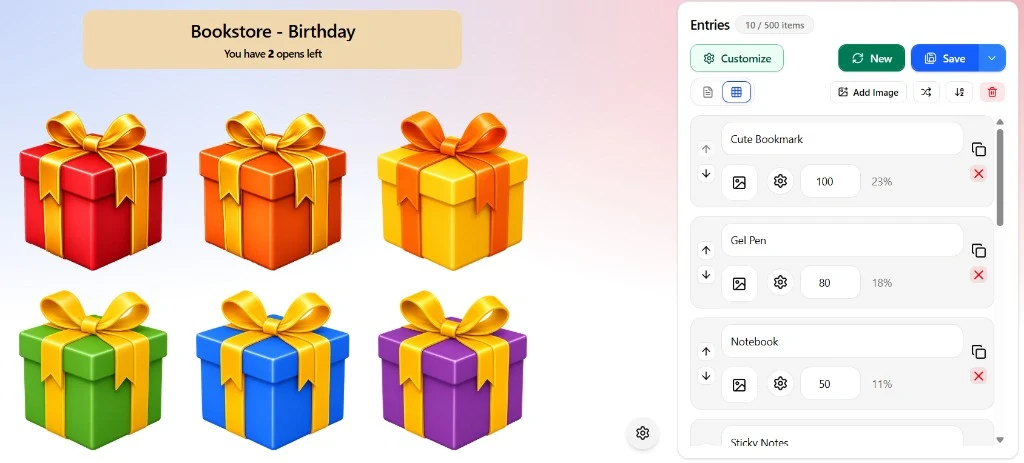
That is the job for hosts too: a small, colorful grid on screen; a bigger mixed list behind it. Typical box contents for this setup:
- Sample sachets or mini products
- Buy-one-get-one add-ons
- $5 or $10 store vouchers
- Bonus discount slips for a follow-up visit
A 5×10 or 6×8 grid fits ~30-50 opens per day. Shuffle at the start of each shift. Cap opens so one receipt equals one pick.
Common slip: staff forget to shuffle between shifts, so yesterday's winners look like "hot" boxes today.
Holiday family gift reveal (Christmas and winter breaks)
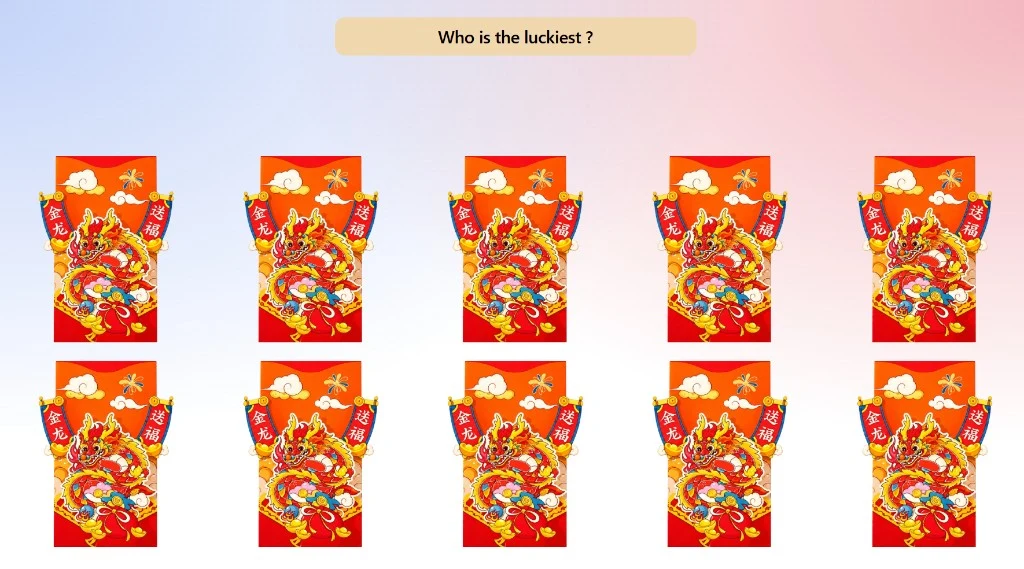
Relatives take turns opening virtual gift boxes on a phone or TV browser during a holiday gathering. Labels can show cash amounts, gift cards, or small treats - for example $1, $2, $5, $10, $20, and $100 - with more small boxes than large ones:
- 20× $1
- 10× $2
- 6× $5
- 3× $10
- 2× $20
- 1× $100 top prize box
Pick a festive box style from the catalog and set one open per person. Treasure Hunt keeps a won prize out of the pool for the rest of the session. Fun reveal only - hand out real cash or gifts yourself after the grid shows the amount.
Common slip: someone asks if the top prize is still in the pool - History shows what already landed.
Classroom or stream (quick layout)
A 4×6 grid (24 boxes) with one open per student, or ~10 boxes on stream for sub giveaways - same shuffle, sounds, and History log as the setups above.
Common slip: projector zoom hides box labels - test from the back row before class starts.
Before you go live
- Match entries to your prize list - repeat labels or use weights when some gifts are more common than others. For a company draw, one entry per physical gift and one open per guest avoids running out mid-event.
- Shuffle and test one open - confirm sounds and the reveal popup on your projector, tablet, or stream capture.
- Set max opens - usually 1 per guest, customer, or family member.
- Use Treasure Hunt (or Multi Box with duplicate prizes off) when each prize should only be won once.
- Check History after the session for disputes or inventory handout.
When to use a virtual prize box
Reach for boxes when several people each pick, or when mixed prizes need a visible reveal. One winner from a pasted list with no grid? Use the random name picker. One spin for the whole room? Build a spin wheel.
Publish, privacy, and giveaways
When you publish a box, it gets a public URL anyone with the link can open. Keep sensitive prize lists local until you are ready to share. Saved and published boxes follow our Privacy Policy.
SpinWheelPlus helps you run a visible reveal at events, in stores, and at home. It is not legal advice and not a regulated lottery platform - check promo and giveaway rules in your region before large or paid prize campaigns.
What this tool is not
- Not a shopping mystery crate or CS-style loot box marketplace
- Not enterprise raffle or marketing automation software
- Not a payment or banking app for real cash or gift-card payouts
- Not a substitute for legal review on regulated giveaways
Mystery box vs spin wheel
| Mystery Box | Spin Wheel | |
|---|---|---|
| Feature comparison | Grid of boxes; tap to open a shuffled prize with reveal sounds and popup | Spinning canvas; one spin lands on a slice with optional weights and animation |
| Best when | Many guests each pick one box; mixed prize counts at an event or store | One spin decides a single winner or turn order for the whole room |
| Common uses | Corporate draws, retail promos, holiday family games, classroom rewards | Name picks, raffle spins, presentation order, branded wheels |
Start from a box template, or browse popular mystery boxes for inspiration.
Frequently Asked Questions
More Random Tools
View all random tools →
Save and Share Your Mystery Box
Publish a branded prize box with its own link - perfect for streams, giveaways, and class rewards.