 SpinWheel
 7
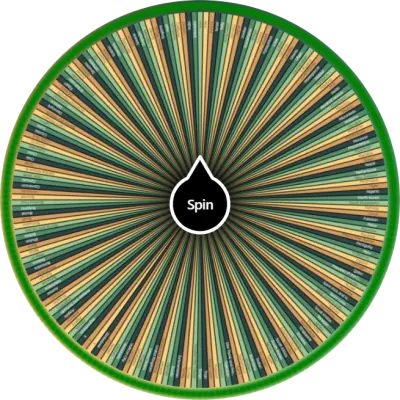
7Name Wheel for a Fair Class Roster Pick
Paste your class list, spin this name wheel once, and show a fair pick on the board. No app and no account required to try.
Ratings and reviews
5.0
Based on 1 review
5
100% (1)
4
0% (0)
3
0% (0)
2
0% (0)
1
0% (0)
Share your experience and help others
Review policyReviews
What is a name wheel?
A name wheel picks one name from a list the class can see. Paste your roster from a spreadsheet column, project it, and spin. Every slice starts with an equal chance. Turn on Remove Winner if each person should only be called once this period.
Use the list you already keep. Copy a column from your gradebook or sheet, drop it in, and spin on a Chromebook, phone, or smartboard. This wheel does not import Google Classroom or a school database. Paste the names yourself.
Each spin uses your browser's built-in secure random function (crypto.getRandomValues). Names still on the wheel have the same odds. The class can watch the slices, so the pick is not a quiet choice from the seating chart.
After a name lands, turn on Remove Winner so the next spin cannot repeat that person. The roster shrinks until everyone has had a turn. Paste the full list again at the start of the next period.
If you want a list result with no spinning wheel, use the name picker without a wheel. Other class jobs live under more Classroom and Education wheels. On this page: edit the list, then Spin. Copy the wheel if you need the same roster tomorrow.
How to use this name wheel
Open the wheel and set the roster. Check the sample names, then edit the list or paste your class from a spreadsheet (one name per line). First name plus last initial stays readable on a board.
Spin once. Click Spin so the class can watch it stop. Ask the question first, then spin, so every student still has to think.
Turn on Remove Winner for the next pick. If each person should only be called once this round, remove the winner before you spin again. Copy the wheel to share the same roster with a co-teacher.
When to use this wheel
Period roster on the projector
Paste Period 2, go fullscreen, and spin when you need a visible pick. The class can see their names on the wheel.
Equal turns across a block
Keep Remove Winner on so the same student does not land twice before everyone has had a turn. Paste the full list again next period.
Same wheel for a co-teacher
Copy the wheel and send the link so both of you spin the same class list, not two handwritten versions.
Tips
Keep slice labels short. First name plus last initial reads better than a full legal name from the back of the room.
Turn on Remove Winner when this period should not repeat a name.
Save or bookmark a copy per period if you teach more than one class. This wheel does not sync a live gradebook.
Use fullscreen on a projector or smartboard so the result is the only thing on screen.
If someone is absent, edit the list before you spin. Do not leave yesterday's substitute on the wheel.
You may also like
Browse popular wheels7Popular Random Tools
Quick randomizers for picks, teams, giveaways, and more