SpinWheel
Spin Wheel vs Name Picker: Which to Use
When to spin a wheel vs paste a roster. For teachers and meeting hosts: projector drama vs a fast Pick Random Name. Free in your browser, no install. Try both.
By SpinWheelPlus Team
7 min read
The HDMI cable is in. Your roster is still in a doc tab. People are already looking at the screen. You have two SpinWheelPlus tabs: the homepage wheel editor and the paste-a-list name picker. Which one should you use?
Use the wheel when people need to watch the selection happen. Use the name picker when you need a fast result from a list. The right choice depends on the room, the size of the list, and what you need to do with the winner after it lands.
This post is for teachers and meeting facilitators who already have names and need to pick one without looking like they played favorites. It is not a product homepage and it is not a control-by-control manual for either tool.
Spin Wheel vs Random Name Picker: Quick Comparison
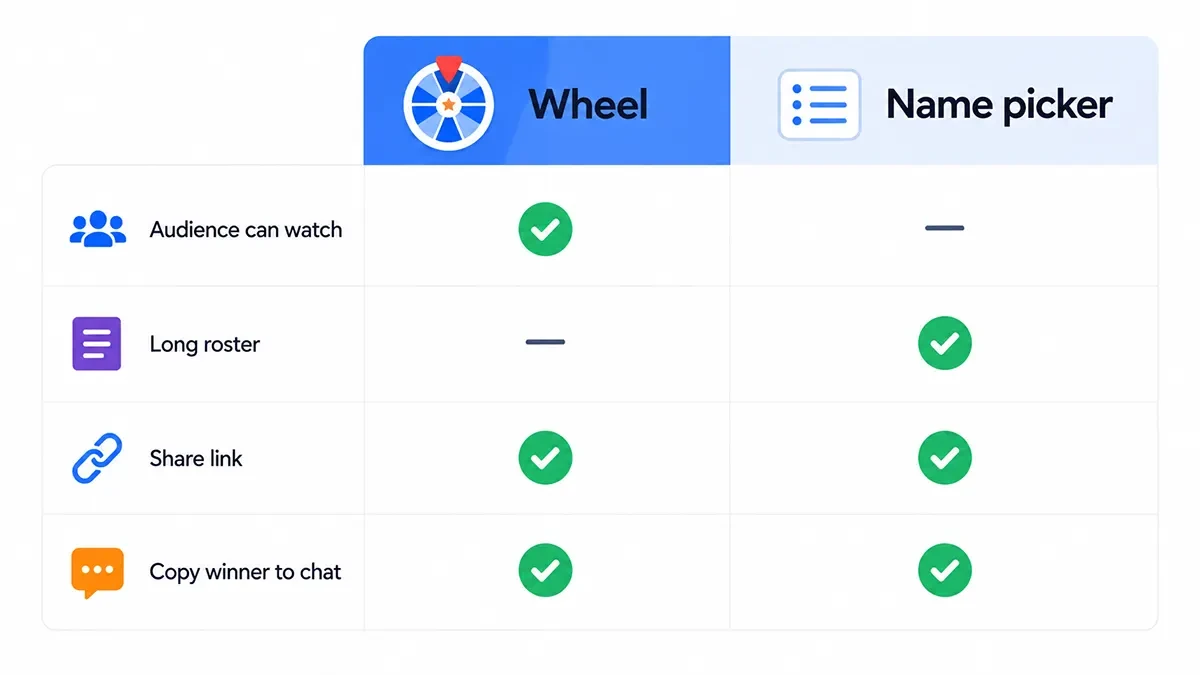
Criterion | Spin wheel | Name picker |
|---|---|---|
People watching a shared screen | Best - the selection is visible and easy to follow | Good - faster, but less visual |
Roster of about 8-16 short first names | Best - labels stay readable | Good |
Roster of 40+ names or long lines | Weak - slices get difficult to read | Best - the list stays compact |
You need the name in chat or a gradebook | You still type or screenshot | Best - Copy winner and Download .txt are available |
Same people must not win twice | Remove Winner after the spin | Remove winner after selection |
Next week's host should open the same list | Best - share or save a hosted wheel | List stays on the device, so you need to paste it again |
Classroom engagement | Best - the spin becomes part of the activity | Good - better when the selection is just a step |
Fast private selection | Good | Best - pick a name and move on |
Watch the Room, Then Pick the Surface
Ask one question before you click: does anyone in the room need to see the pick happen?
If yes, they need slices, motion, and a result that lands in public. That is the wheel. If no, they need a name they can trust and you need it in five seconds so the agenda can move. That is the list picker. Pick Random Name is the button on that tool. The wheel's button is Spin.
A hybrid meeting can use both in one hour. Share the wheel when the group is on a projector or HDMI. Switch to the picker when you are only dropping a name into chat for people on phones who cannot see the spin. Do not run a long spin for a private assignment nobody else is watching.
People often call a name-filled spin wheel a wheel of names. The test is still the same: does the group need to watch the selection?
When the Wheel Fits
Use the wheel when the pick is the moment.
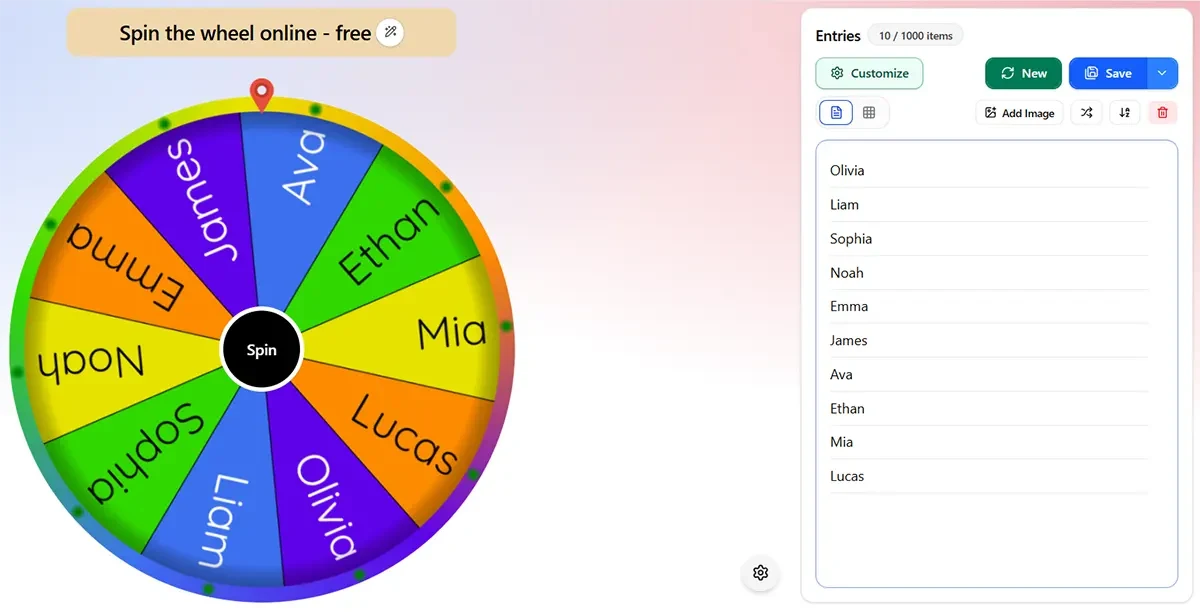
A teacher on a projector calling the next presenter. A standup where the room will groan in a friendly way when the slice stops. A workshop icebreaker where watching the pointer is the point. Start from the homepage wheel editor or copy a list from wheel templates and swap in real first names.
Keep labels short. First names beat "Alexandra (period 3, table 2)". If you need unique calls through the period, turn on Remove Winner so the same slice does not come back until you restore it.
Facilitators: if the job is "who speaks next" and the room can see a screen, the wheel beats a silent list pick. If the job is "who takes notes" and you will paste the name into the agenda, skip the spin.
Do not use the wheel as your only plan for a 50-name signup dump. You can paste that many, but nobody in the back row can read the slices. That is a list job, or a shortlist job.
If you need the same wheel again next week, you can share or save a hosted wheel. Sign in when you want to keep the wheel in My Wheels. For a one-time classroom pick, you can use the wheel without an account.
When the List Picker Fits
Use the paste-a-list name picker when speed or list size matters more than a spin.
Paste the roster. Hit Pick Random Name. Show the winner. If you are drawing first, second, third, turn on Remove winner after selection. If two lines should not count as two entries, turn on Skip duplicate names. If two lines should count as extra entries, leave duplicate skipping off.
This is the right surface when you are assigning a quiet job in a meeting, picking a volunteer from a signup file, or posting one name into chat without stalling the call for a five-second animation.
The picker also works better when the result has to leave the page. Use Copy winner when you need to paste the selected name into chat, notes, or a gradebook. You can also use Download .txt from history when you need a simple text record of results.
Roll Animation on the picker is optional theater. It does not change who won. The name is chosen when you pick.
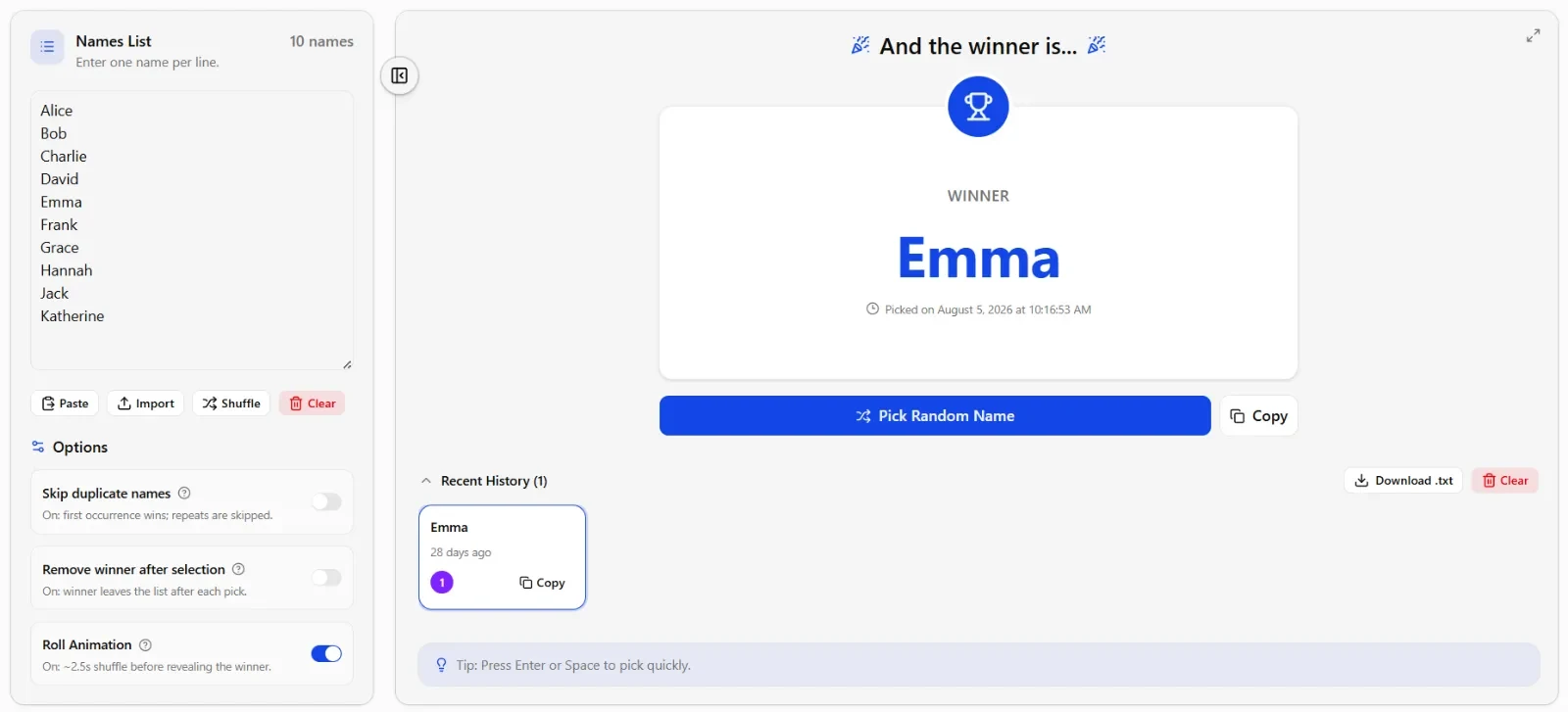
The name picker keeps the list on the device. That is useful when you are working on a school iPad or another shared device and do not need to create an account. It also means the list is not automatically waiting for you on another device later.
Clean the Roster, Then Spin a Shortlist
Long messy lists belong on the picker first. Do this in order:
Paste the full roster into the name picker. Turn on Skip duplicate names if each person should appear once.
Create a clean shortlist of eight to twelve first names. Long last names and period codes stay off the wheel.
Put that shortlist on the homepage wheel editor and spin where people can see it.
That two-step workflow is for the host who imported a class CSV at lunch and still wants a visible draw after the bell. The picker is the broom. The wheel is the show. Do not run the show on forty unreadable wedges.
Fairness Is Not the Fork
Both tools can use crypto.getRandomValues() in a supported browser. The wheel does not get extra honesty because it spins longer. The picker does not get extra honesty because it feels quieter.
What can change the odds is the list itself and what happens to it after a selection.
If a name appears twice and duplicate entries are allowed, that name has two entries and can be selected through either entry.
If Skip duplicate names is enabled, repeated lines can be reduced to one entry per name.
If Remove Winner is enabled, a selected person is removed from the pool for subsequent picks.
If removed entries are restored, they become eligible again.
You are choosing a presentation, a list size, and what happens to the winner after it lands. For a deeper look at the random selection method, see the SpinWheelPlus randomness audit.
Which One Should You Use?
Choose the spin wheel when the selection itself is part of the activity. It works best for classrooms, projectors, group decisions, presentations, icebreakers, and any situation where people benefit from seeing the result happen.
Choose the random name picker when the list is large, the result needs to be copied or saved, or you simply need to make a quick selection and continue.
If you regularly switch between both situations, keep both surfaces available. The selection method does not need to be the same for every classroom or meeting task.
Related Tools
Try the paste-a-list name picker when the roster is the input and you need a name you can copy. Open the homepage wheel editor when the room should watch the pick. Start faster from wheel templates if you want a list to edit, not a blank wheel.
If you want to understand how the random selection works, read the randomness audit. More practical decision guides and tutorials live on the SpinWheelPlus blog.