SpinWheel
How to Embed a Spin Wheel on Your Website
A practical guide on embedding a spin wheel iframe for web publishers. Use SpinWheelPlus in your browser with fair random results, then use the same pattern for a mystery box.
By Violet
Aug 12, 20268 min read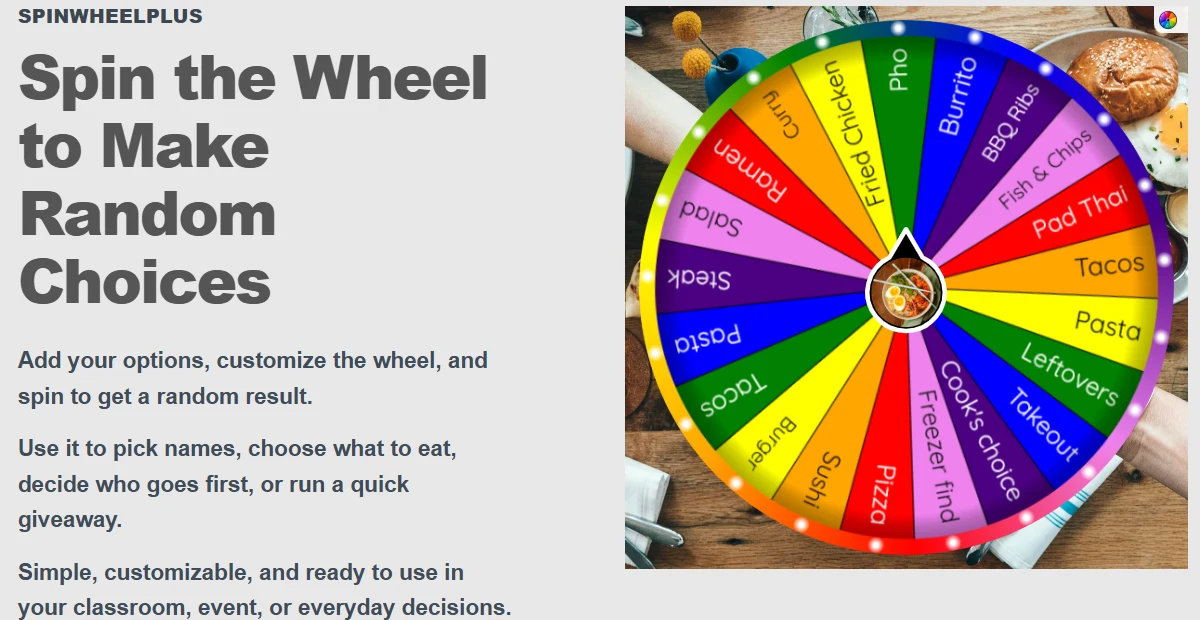
Want to add a spin wheel to your website? You can embed an interactive wheel directly into a page with a small script, so visitors can spin it without leaving your site.
With SpinWheelPlus, you can place the wheel inline in your layout, or as a collapsible sidebar on the edge of the page. The same approach also works for a mystery box if you prefer a prize-reveal style.
Who Can Embed a Spin Wheel?
This guide is for anyone who wants a live wheel on their own site: teachers with class pages, streamers with giveaway pages, shop owners, and web publishers who can paste a short HTML snippet.
You do not need a full development team. If your platform lets you add custom HTML, you can usually finish this in one sitting. If you only need a shareable link, open the wheel on SpinWheelPlus and skip embed for now.
What You Need Before You Embed
A published spin wheel from the spin wheel editor, or a published mystery box from mystery box.
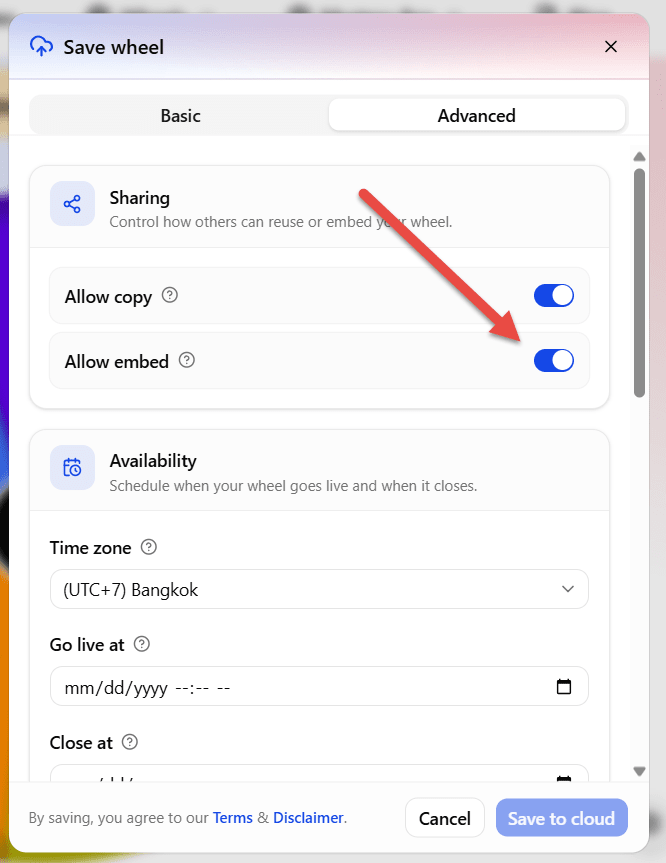
Allow embed turned on when you publish.
A place on your site where you can paste HTML (a custom HTML block, theme footer, or page builder embed field).
A few minutes to paste the code and check it on desktop and phone.
Optional: a small result callback if you want your site to record the winning name after each spin.
How to Embed a Spin Wheel (Step by Step)
1) Create and publish your wheel
Build your options in the spin wheel editor, or start from a wheel template. Publish it so it gets a public slug, for example whats-for-dinner-wheel-xm64xx.
Turn on Allow embed. If that setting is off, the wheel will not load on other websites.
2) Open Embed and pick a layout
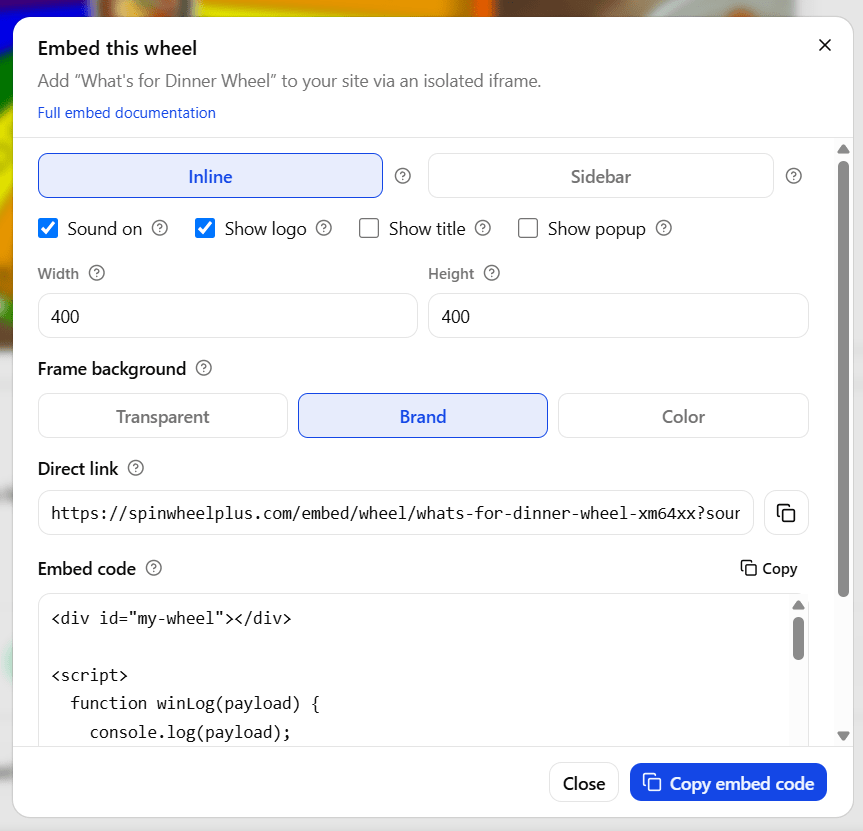
On your published wheel page, click Embed. Choose one of these layouts:
Layout | Best for | How it looks |
|---|---|---|
Inline | Hero sections, blog posts, classroom activity blocks | The wheel sits in a fixed spot on the page |
Sidebar | Shops, blogs, long landing pages | A tab on the screen edge that opens a panel |
Adjust size, sound, logo badge, winner popup, and background, then copy the embed code.
3) Add an inline wheel to your page
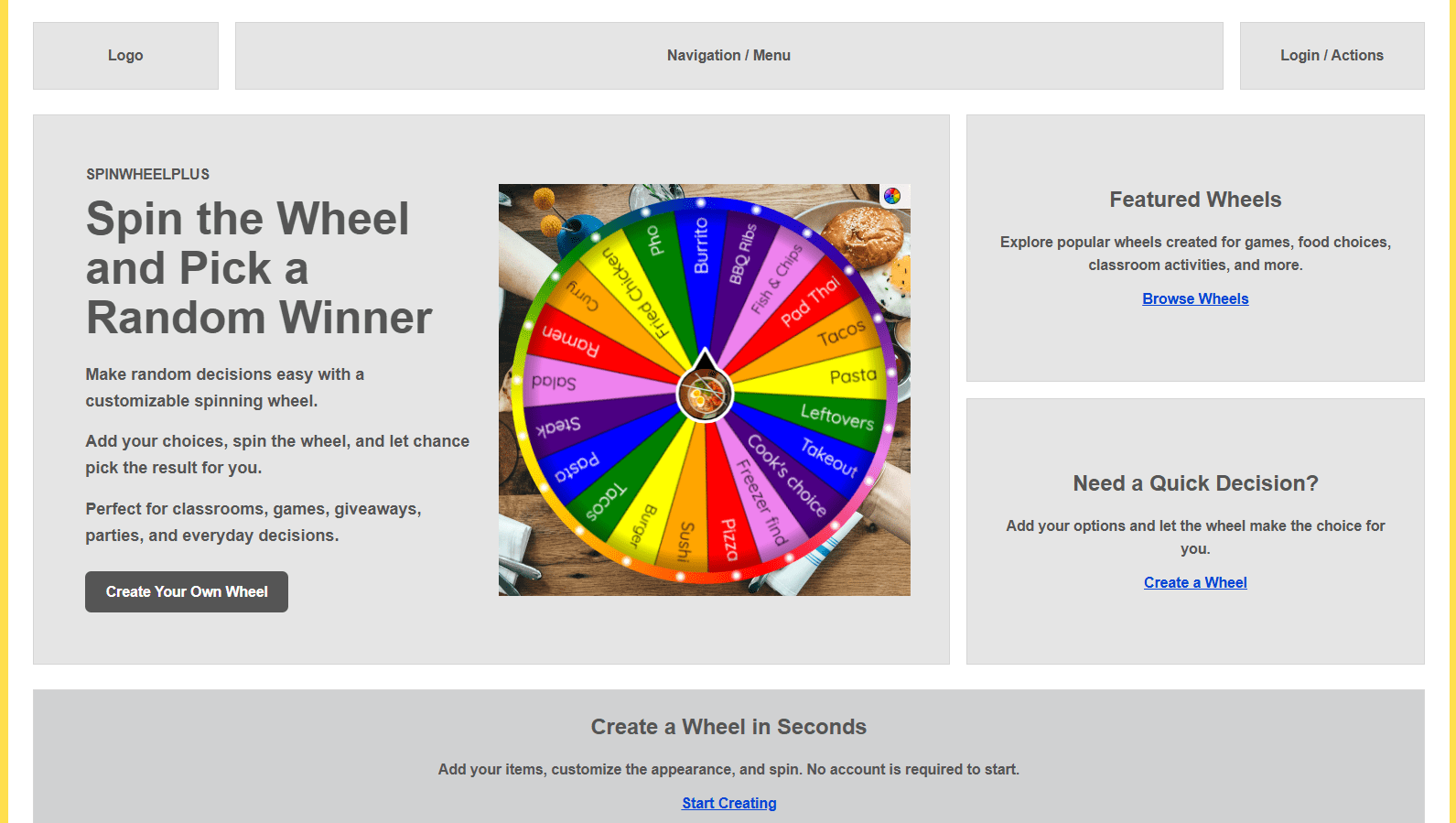
Inline mode places the wheel inside a target element. See the demo at /embed/wireframe-wheel-inline.html
<div id="my-wheel"></div>

<script>
  function winLog(payload) {
    console.log(payload);
  }
</script>

<script
  async
  src="https://spinwheelplus.com/embed/v1/loader.js"
  data-wheel="whats-for-dinner-wheel-xm64xx"
  data-mode="inline"
  data-width="400"
  data-height="400"
  data-bg="brand"
  data-sound="on"
  data-logo="on"
  data-popup="on"
  data-chrome="minimal"
  data-title="off"
  data-target="#my-wheel"
  data-on-result="winLog">
</script>
Swap in your own wheel slug. Make sure data-target matches a real element on the page, and keep the container from growing too wide on phones.
4) Add a sidebar wheel instead
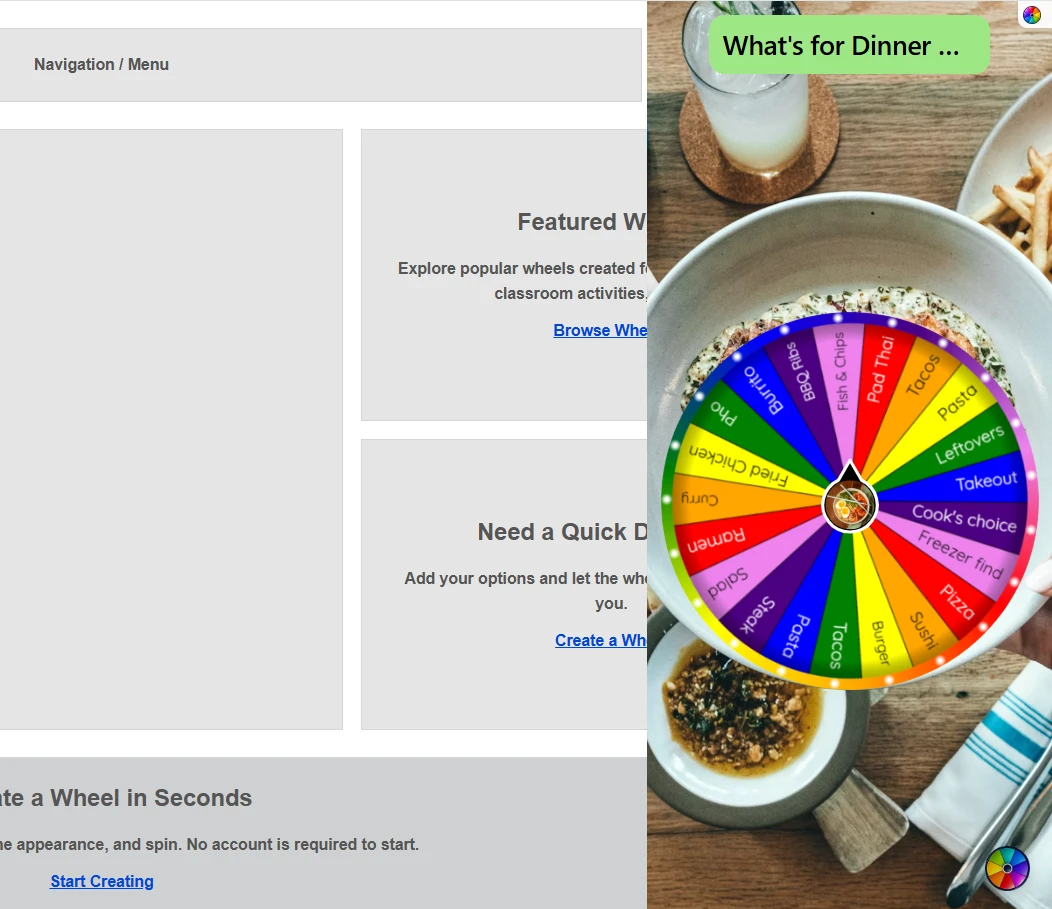
Sidebar mode does not need a target box. Paste the script near the end of your page body. Demo: /embed/wireframe-wheel-sidebar.html
<script>
  function winLog(payload) {
    console.log(payload);
  }
</script>

<script
  async
  src="https://spinwheelplus.com/embed/v1/loader.js"
  data-wheel="whats-for-dinner-wheel-xm64xx"
  data-mode="sidebar"
  data-width="360"
  data-bg="brand"
  data-sound="on"
  data-logo="on"
  data-popup="off"
  data-chrome="minimal"
  data-title="on"
  data-position="right"
  data-collapsed="false"
  data-z-index="9999"
  data-on-result="winLog">
</script>
Set the side with data-position (left, right, top, or bottom). Use data-collapsed="true" if you want only the tab to show at first.
5) Embed a mystery box the same way
Mystery boxes use the same script. Change data-wheel to data-box and use your box slug.
Inline box demo: /embed/wireframe-box-inline.html
<div id="my-mystery-box"></div>

<script>
  function winLog(payload) {
    console.log(payload);
  }
</script>

<script
  async
  src="https://spinwheelplus.com/embed/v1/loader.js"
  data-box="lucky-envelope-box-family-new-year-8oti5e"
  data-mode="inline"
  data-width="400"
  data-height="400"
  data-bg="brand"
  data-sound="on"
  data-logo="on"
  data-popup="off"
  data-chrome="minimal"
  data-title="off"
  data-target="#my-mystery-box"
  data-on-result="winLog">
</script>
Sidebar box (demo: /embed/wireframe-box-sidebar.html ): use sidebar mode, skip data-target, and set position like the wheel example. A slightly wider panel, such as data-width="500", often looks better for boxes.
When to use a wheel vs a box
What you want on the page | Use |
|---|---|
A clear spin for names, dinner picks, or classroom turns | Wheel, usually inline |
A surprise prize reveal | Mystery box, inline or sidebar |
Something always available while people browse | Sidebar |
One featured interactive moment | Inline |
6) Optional: catch the winning result
If you want your site to see the result, keep data-on-result="winLog" and add a simple function:
function winLog(payload) {
  console.log(payload.item.name);
}
That is enough for most sites. More advanced setups can listen for messages from the embed if needed.
7) Use a direct link when scripts are blocked
Some apps, kiosks, or locked page builders do not allow scripts. In that case, open Direct link in the Embed dialog and use that URL instead. It opens the wheel or box in a simple embed page with the same size, sound, and background options.
Can You Embed a Spin Wheel on Any Website?
Most websites that let you add custom HTML or JavaScript can use a SpinWheelPlus embed. This includes WordPress, Shopify, Webflow, Ghost, and custom HTML pages. If your platform blocks scripts, use the direct embed link instead.
If the wheel area stays blank, check that Allow embed is on, the slug is correct, and your site is not blocking outside scripts. Some sites need their security settings updated so SpinWheelPlus can load.
Tips for a Smooth Embed
Tell people it is random. SpinWheelPlus uses secure browser randomness for each spin. A short line like "Fair random pick with SpinWheelPlus" helps visitors trust the result.
Use the copy-paste script when you can. It handles sidebar layout and result callbacks more easily than a plain iframe.
Keep phone layouts in mind. Around 320 to 400 pixels wide works well for most inline wheels.
Expect sound after a tap. Many browsers wait for a click before playing audio.
Keep the logo badge on unless you need a clean brand frame. It is a small Powered by SpinWheelPlus link on your page.
Test before you publish. Try the wheel demos for both inline and sidebar so you know which layout fits your page.
Related SpinWheelPlus Tools
Build or update your wheel in the spin wheel editor.
Start faster with wheel templates.
Browse more guides under More Tutorials.
Want a prize reveal instead? Create one at mystery box, turn on Allow embed, and use the
data-boxsnippet above.